Voice memos are great: they’re quick to capture and don’t require my eyes being glued to a screen. However, as audio files they don’t integrate well into my Obsidian notes.
I thought: Wouldn’t it be cool to take voice memos, and have a perfect transcript + summary automatically show up in Obsidian?
It turned out to be easier than I expected. No cronjobs or even API keys required.
- Apple Voice Memos
- MacWhisper
- Apple Shortcuts
- ChatGPT
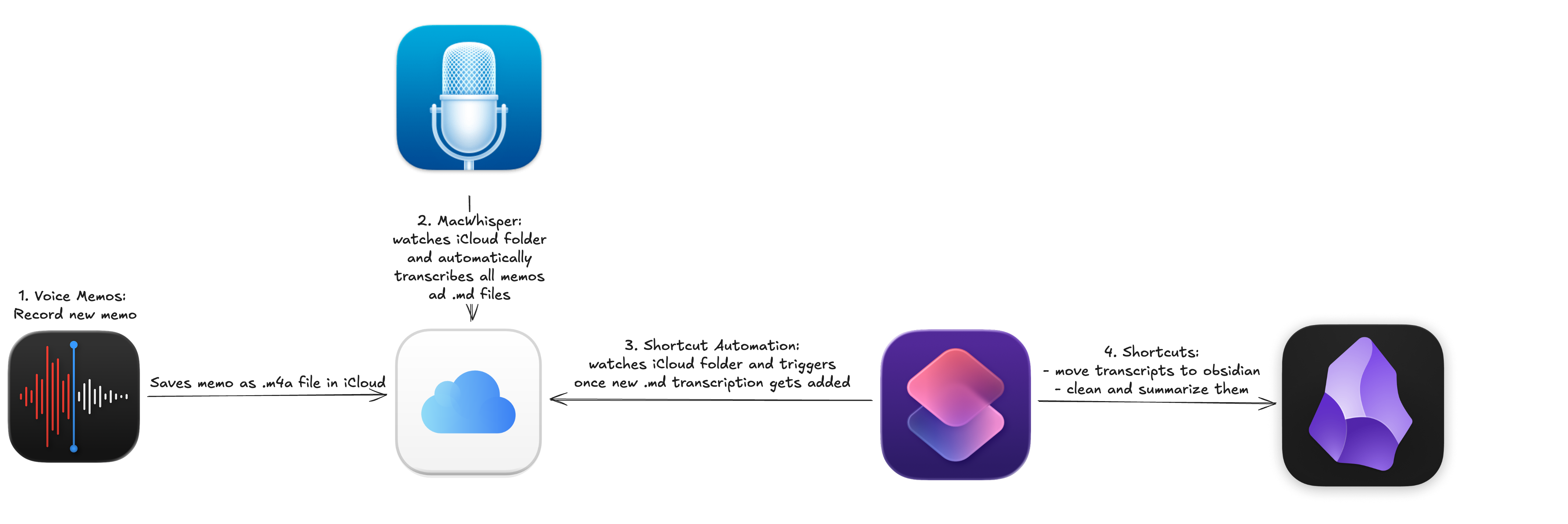
Basically, it works like this:
The Logic:
- Record in Voice Memos (iPhone or Mac).
- MacWhisper watches the iCloud sync folder and auto-transcribes the audio.
- An automation triggers a Shortcut.
- ChatGPT cleans the text and generates a summary.
- The final note is templated and saved into Obsidian.
Here is the high-level flow:
Setup
1. Voice Memos
Self-explanatory: record a new voice memo. Crucially, ensure iCloud sync is enabled so the files propagate to your Mac.
2. MacWhisper
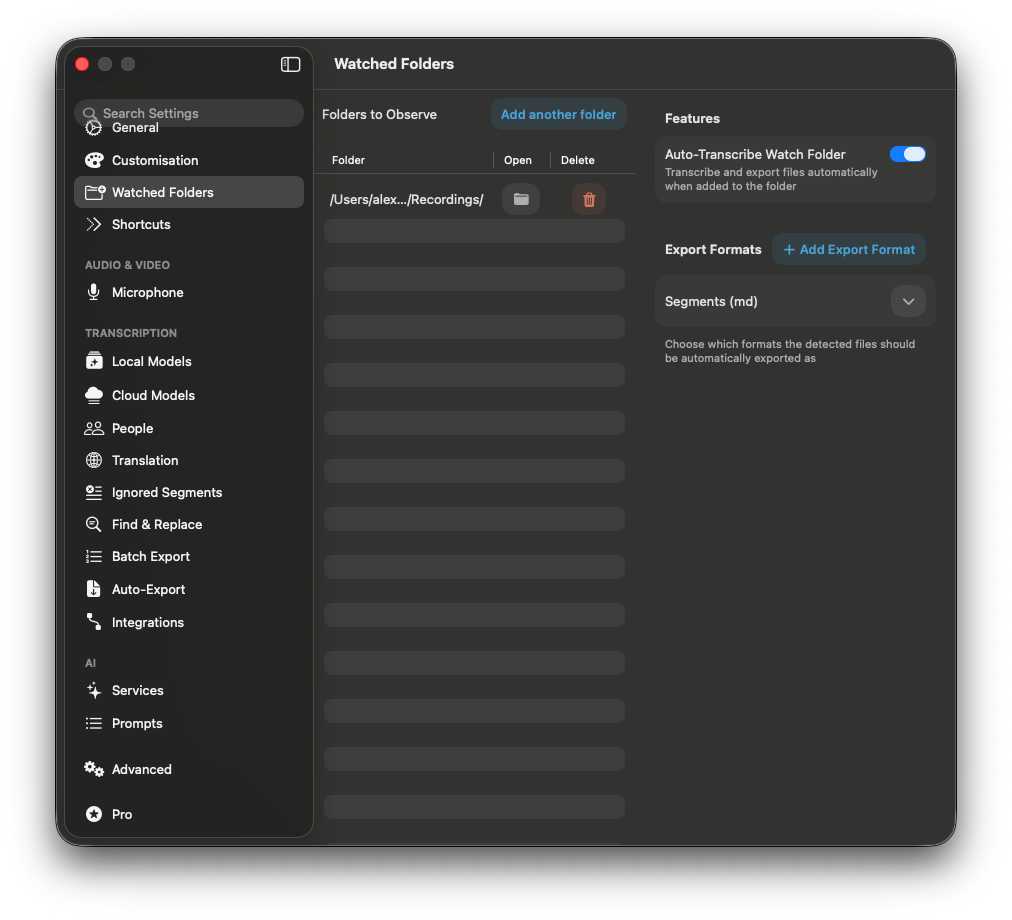
MacWhisper wraps Whisper and other models in a native UI. The killer feature here is the watch folder capability.
You need to configure it to watch the specific directory where the Voice Memos app stores recordings: ~/Library/Group Containers/group.com.apple.VoiceMemos.shared/Recordings
Whenever a new memo syncs to this folder, MacWhisper automatically generates a transcription .md file in the same directory.
3. Shortcut Automation
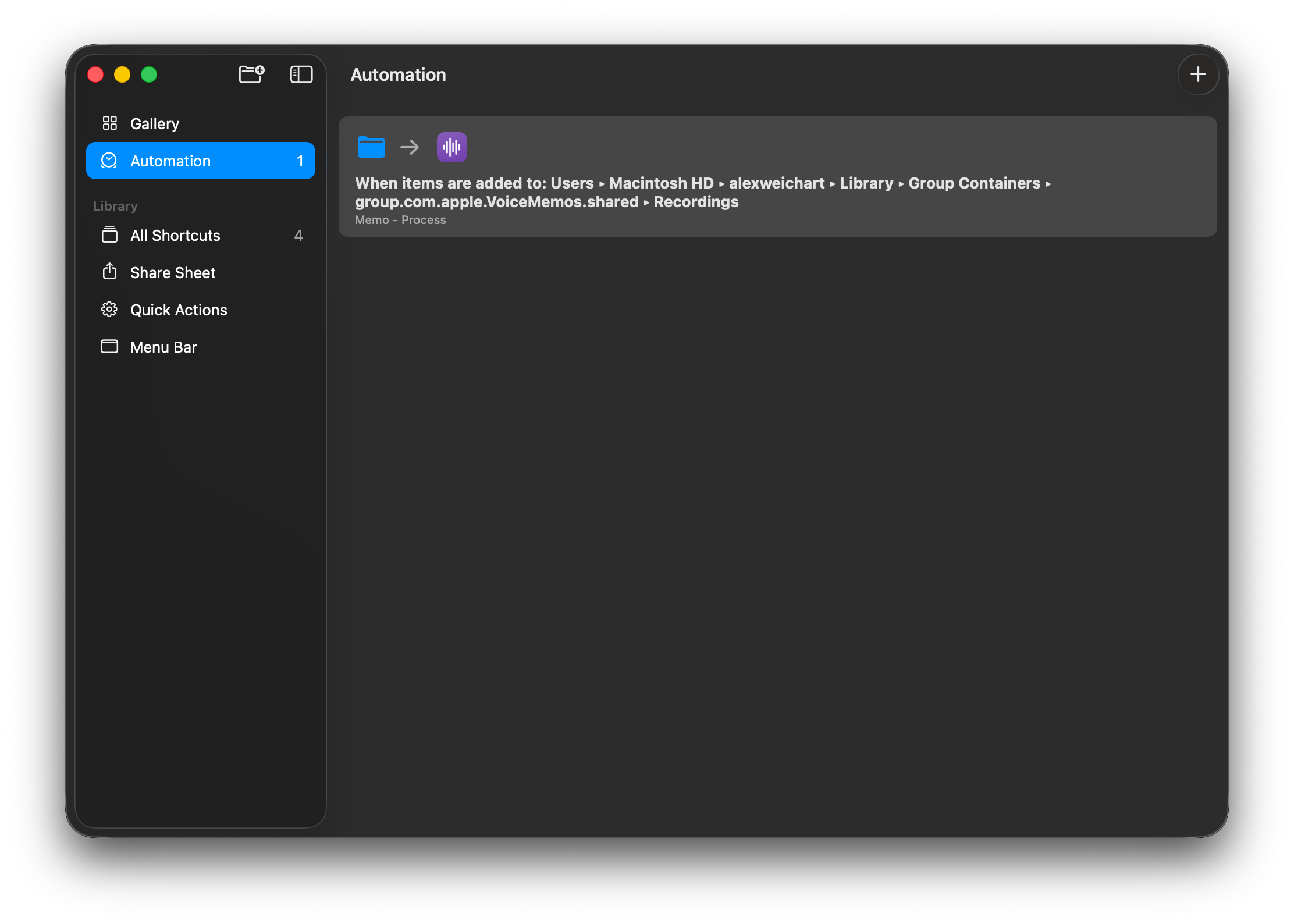
With macOS Sequoia (and later), Apple added Automations to the Shortcuts app on Mac. This allows us to trigger actions based on folder events.
I set up an automation to run whenever a new file (the transcript) appears in that same Group Containers recording folder.
4. The Shortcuts
I split the logic into three modular shortcuts for easier debugging, though you could combine them into one.
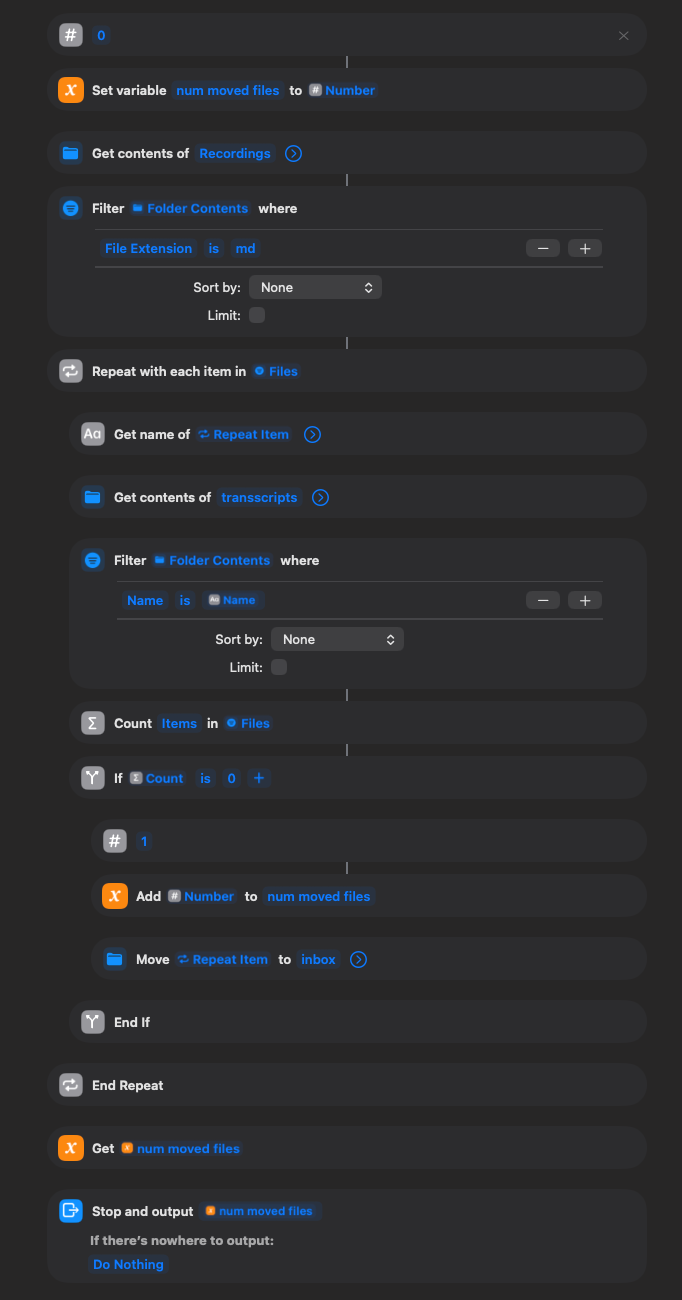
4.1 Move transcripts to Obsidian
This simply moves the raw .md transcript files from the system folder into a transcripts/inbox folder inside my Obsidian vault to prevent processing duplicates.
-> iCloud link
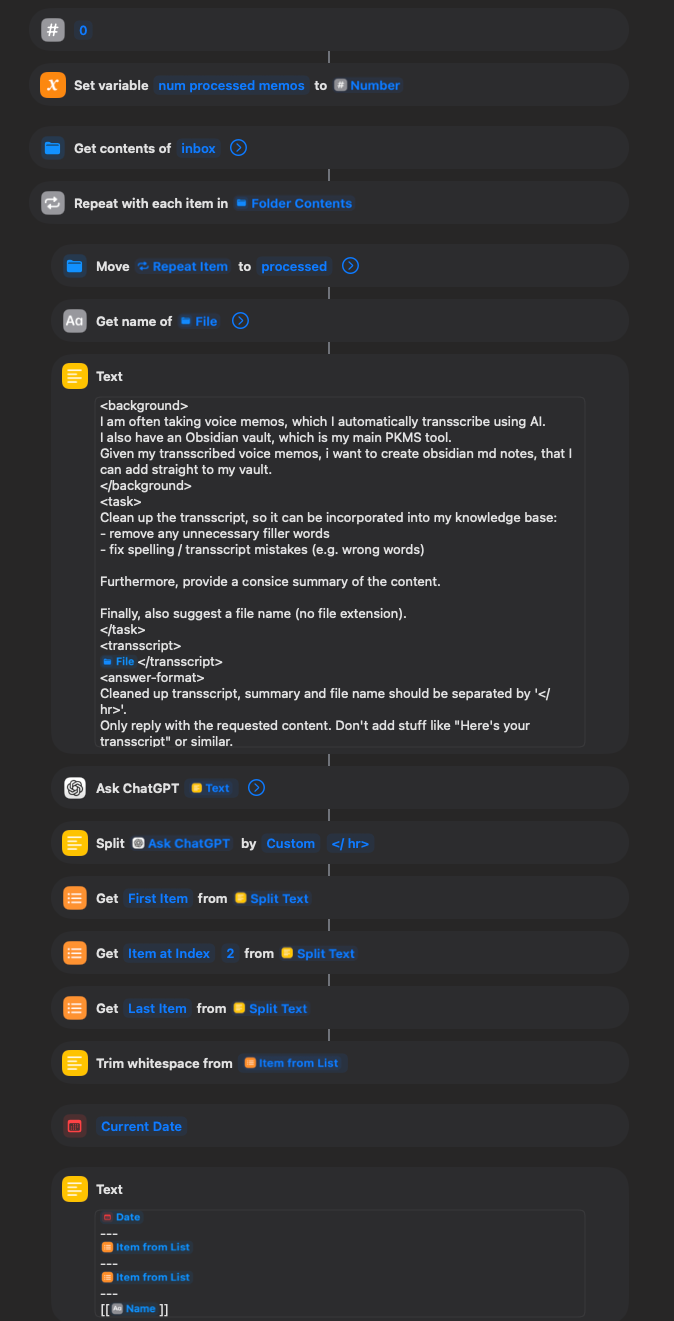
4.2 Process Obsidian Inbox
This is the heart. It:
- Moves the transcript from inbox to
transcripts/processed. - Passes the text to the Ask ChatGPT action.
- Prompts ChatGPT to 1) Clean up the grammar/structure 2) Summarize the content 3) Suggest a filename
- Splits the output.
- Creates a new note in Obsidian (→ see example)
-> iCloud link
4.3 Master Trigger
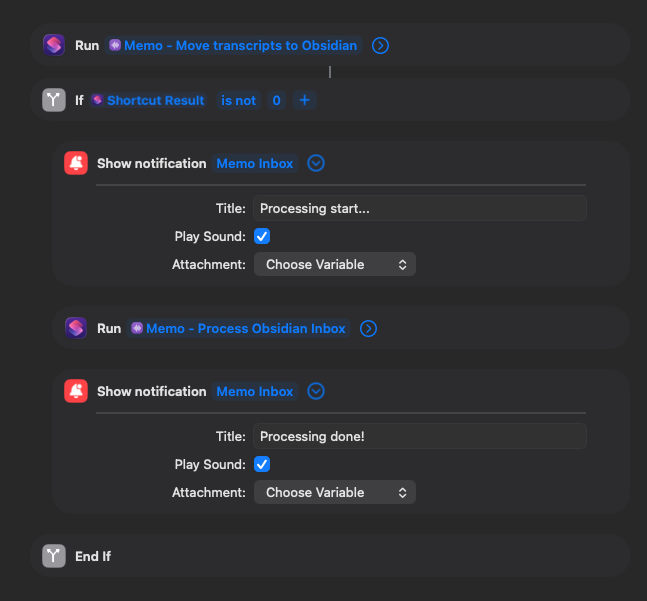
This combines the previous two. It checks if new files exist before running to keep things efficient. This is the specific shortcut targeted by the Automation in step 3.
-> iCloud link
Final Thoughts
I capture most of my thoughts via voice now. It flows much better than typing on a phone.
I’m aware this setup relies on a few moving parts and could be solved with a custom Python script or various other tools, but this “no-code” approach feels remarkably stable. If you have ideas on how to optimize this, let me know!