Also available in: 日本語
Setting up Git for Obsidian
This guide covers how to make an Obsidian vault feel like it’s using cloud sync — but backed by git. This is a prerequisite for the setup described in My AI native Obsidian Setup.
Why git?
Two reasons:
- Claude Code needs a real git repository to clone, edit, and push back to. You can’t do that with a folder synced by Dropbox or iCloud.
- Full version history for free. Rolling back a bad agent run is one command.
The tradeoff: git is a programmer tool. Commit messages, staging, pushing — nobody wants that friction on a note-taking workflow. Here’s how to make it disappear.
Desktop: obsidian-git plugin
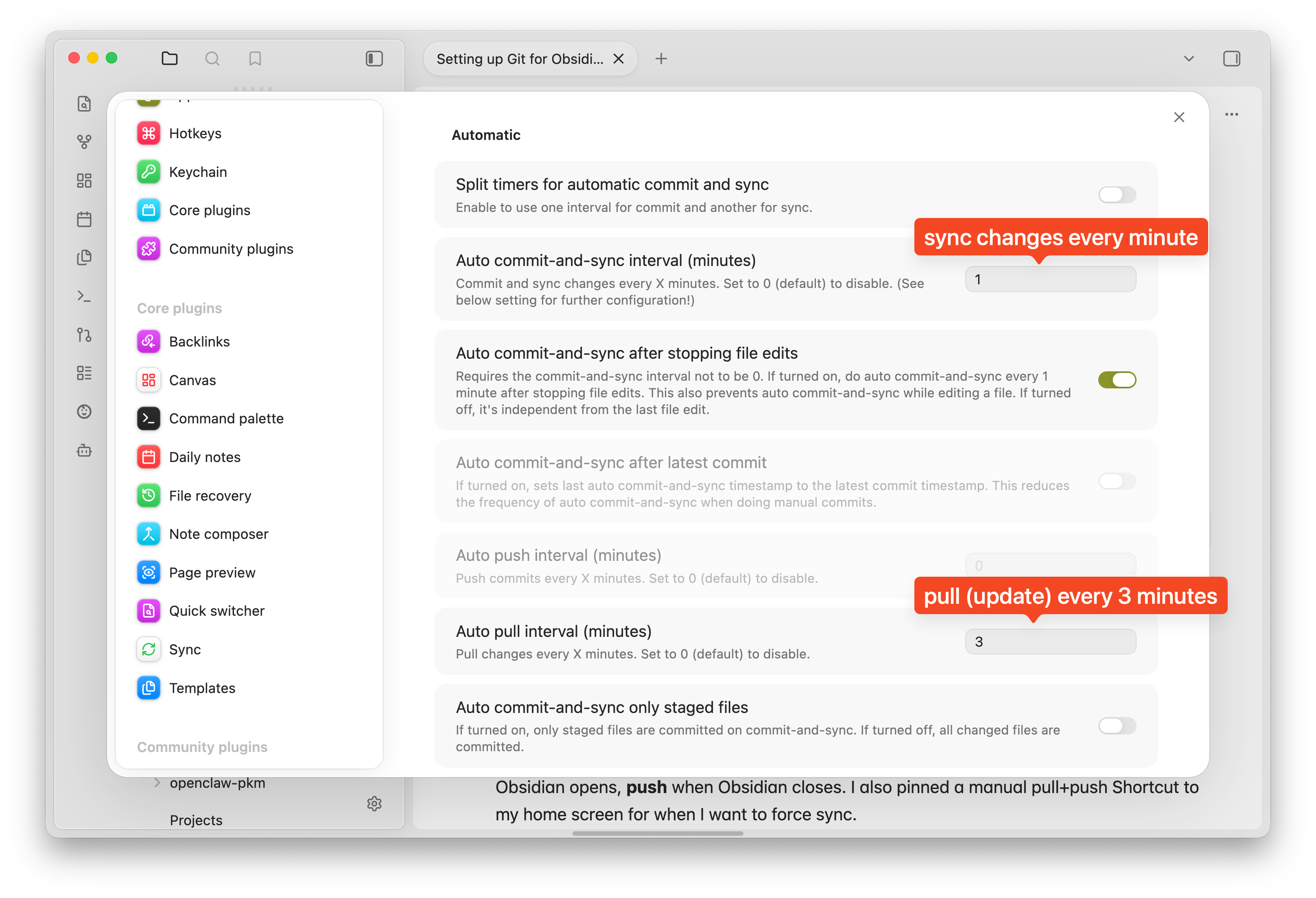
The obsidian-git plugin handles everything. Configure it to auto-pull on open and auto-commit + push every minute while editing. The messages are just timestamps (vault backup: 2026-04-21 13:56:46). It feels like iCloud, but underneath it’s git.
iOS: Working Copy + Shortcuts triggers
obsidian-git is flaky on iOS — the plugin doesn’t play well with the mobile runtime. Mobile needs its own sync story.
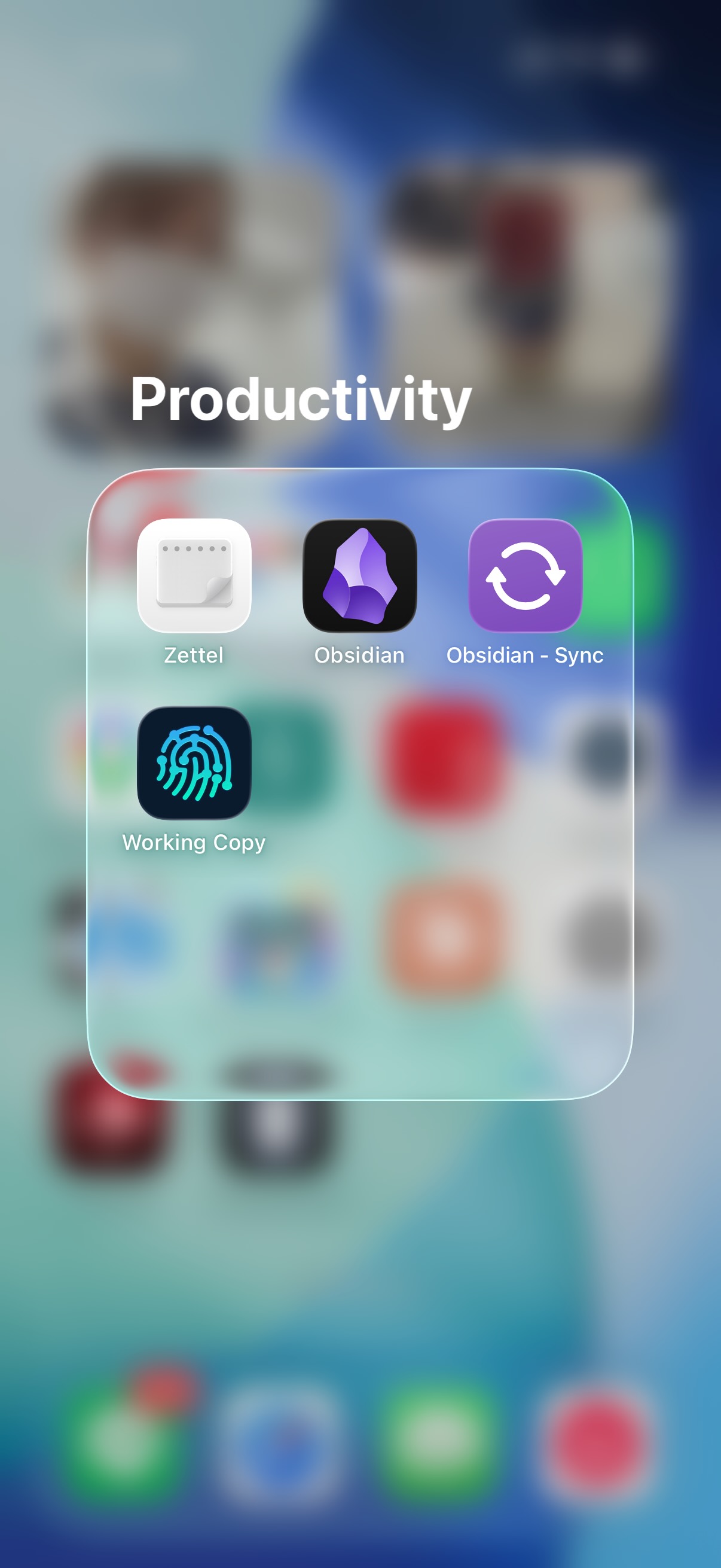
- Working Copy is a git client for iOS that exposes the repo through the Files app. Obsidian opens the folder directly — no import/export, no sync engine.
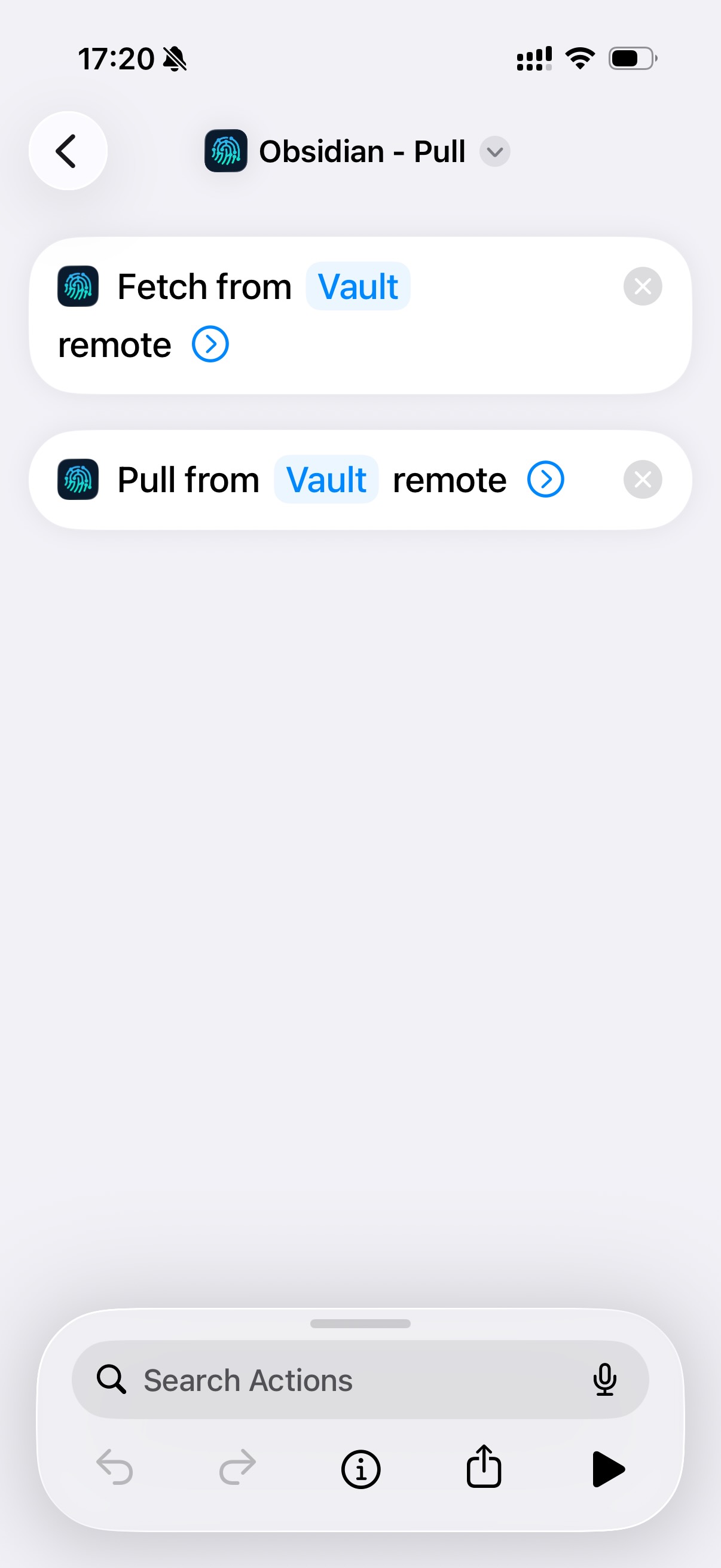
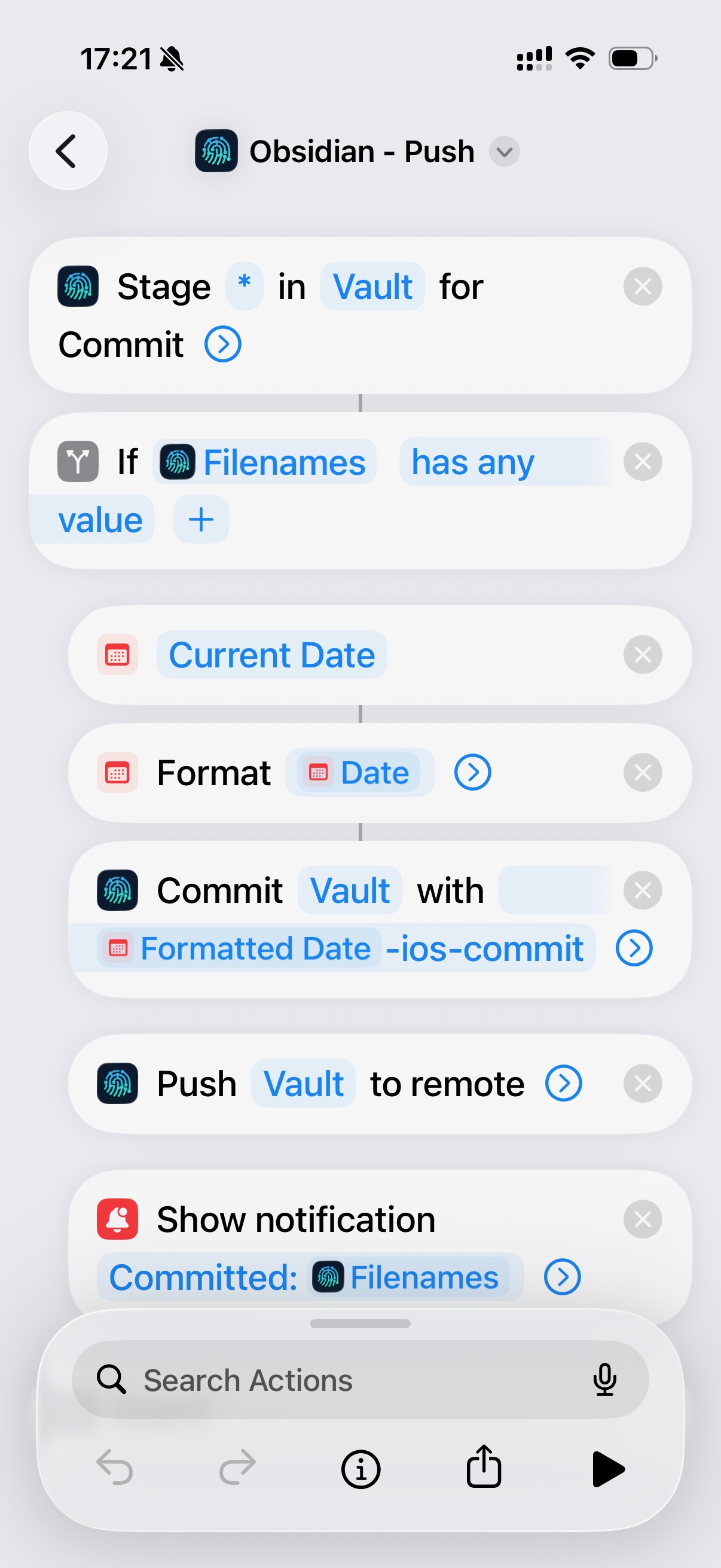
- Shortcuts Automations with app-open / app-close triggers. I set up two: pull when Obsidian opens, push when Obsidian closes. I also pinned a manual pull+push Shortcut to my home screen for when I want to force sync.
 |  |  |
|---|