Voice memos are great: they’re quick to capture and don’t require my eyes being glued to a screen. However, as audio files they don’t integrate well into my Obsidian notes.
I thought: Wouldn’t it be cool to take voice memos, and have a perfect transcript + summary automatically show up in Obsidian?
It turned out to be easier than I expected; the stack:
- Apple Voice Memos
- Apple Shortcuts
Basically, it works like this:
The Logic:
- Record in Voice Memos (iPhone or Mac).
- Shortcut Automation watches Voice Memo folder and triggers:
- Transcribe Shortcut
- Text processing Shortcut
Here is the high-level flow:

How it works
Voice Memos
Self-explanatory: record a new voice memo. Crucially, ensure iCloud sync is enabled so the files propagate to your Mac.
Voice Memos Storage location
Voice Memos stores all recordings as audio files at
~/Library/Application Support/com.apple.voicememos
Apple Shortcuts
To keep it modular, I created two shortcuts:
- transcribe audio to text
- process text (cleanup, summarize)
However, to give them the necessary AI power, one more building block is necessary…
AI Shortcuts
Apple Shortcuts currently only provides rudimentary support for using AI in Shortcuts. Therefore, I built a small helper App, which provides the following Shortcut Actions:
- Ask AI ← used for processing text
- Speech to Text ← used for transcribing memos
- Text to Speech
- Generate Image
The App is free and open source and available on the AppStore.
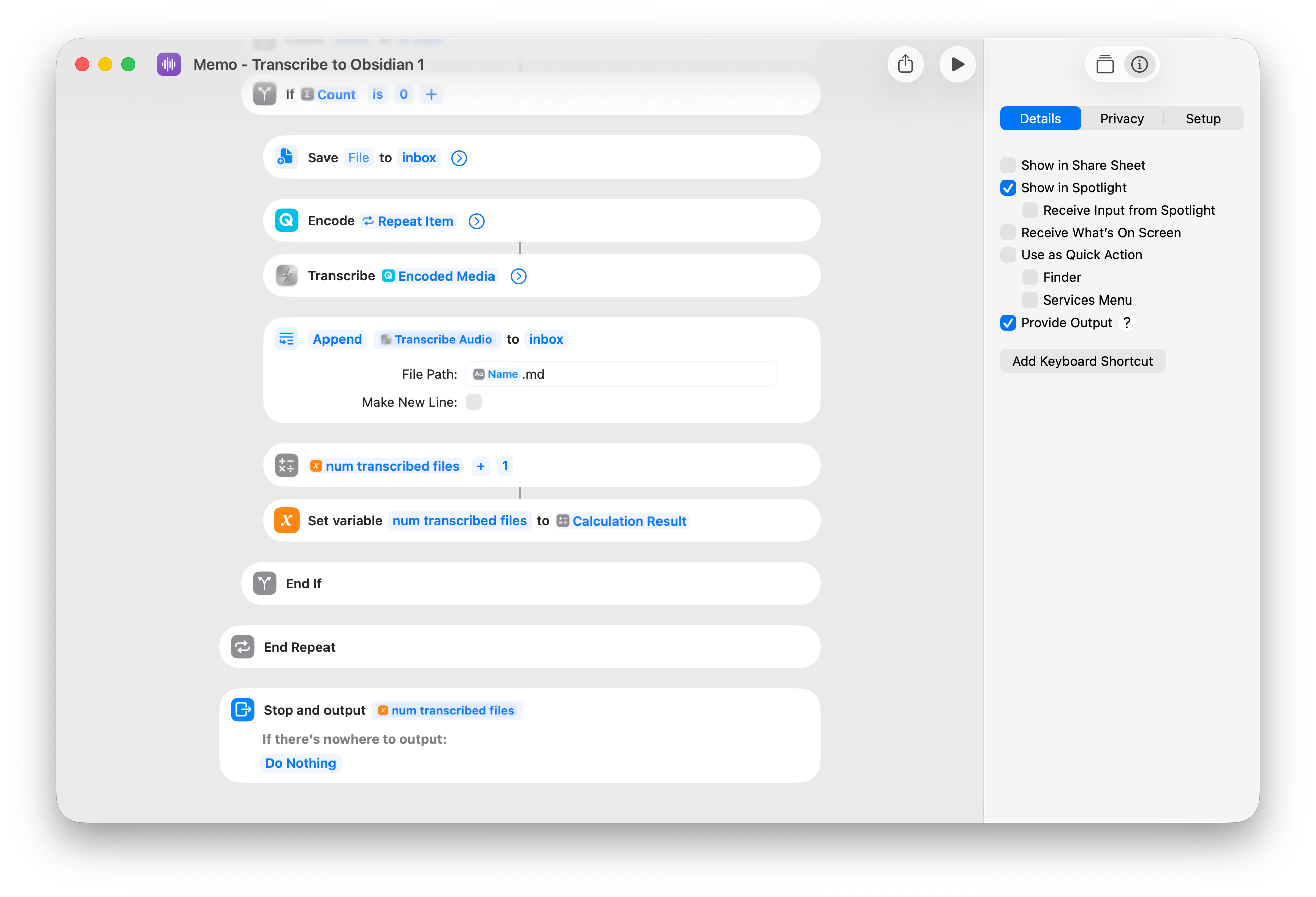
Transcribe Shortcut
When triggered, this Shortcut transcribes all audio files in the memo folder, which have not been transcribed already and saves the results in my Obsidian Vault, at an memos/inbox/ folder.
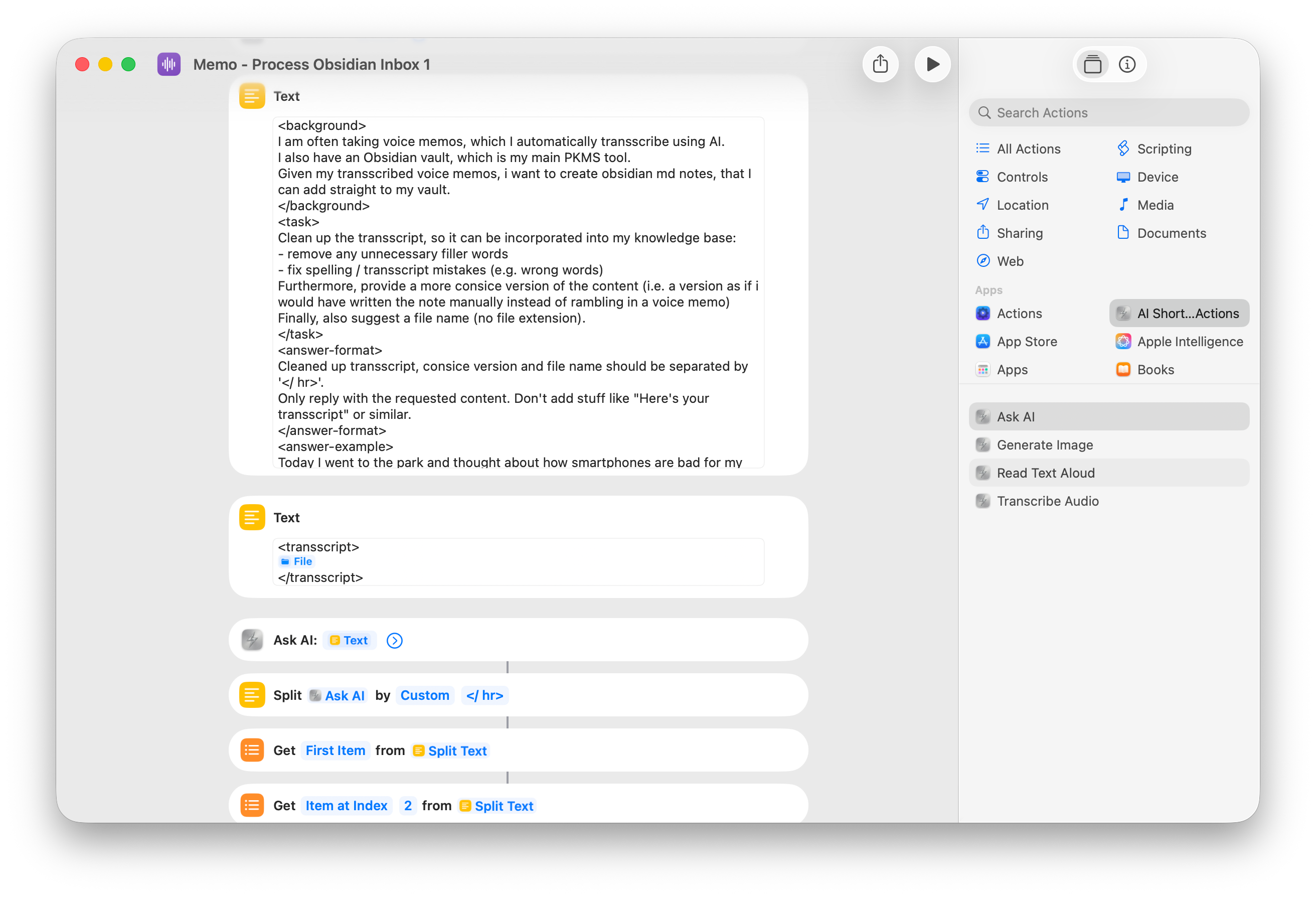
Text processing Shortcut
When triggered, this Shortcut processes all audio transcript files in the memos/inbox folder, which have not been processed already and saves the results in my Obsidian Vault, at an memos/inbox/ folder.
The following text processing is done:
- Clean up the transcription
- Create a summary in the form as if I had manually written the note
Result:
- Obsidian note, containing:
- summary
- cleaned up transcription
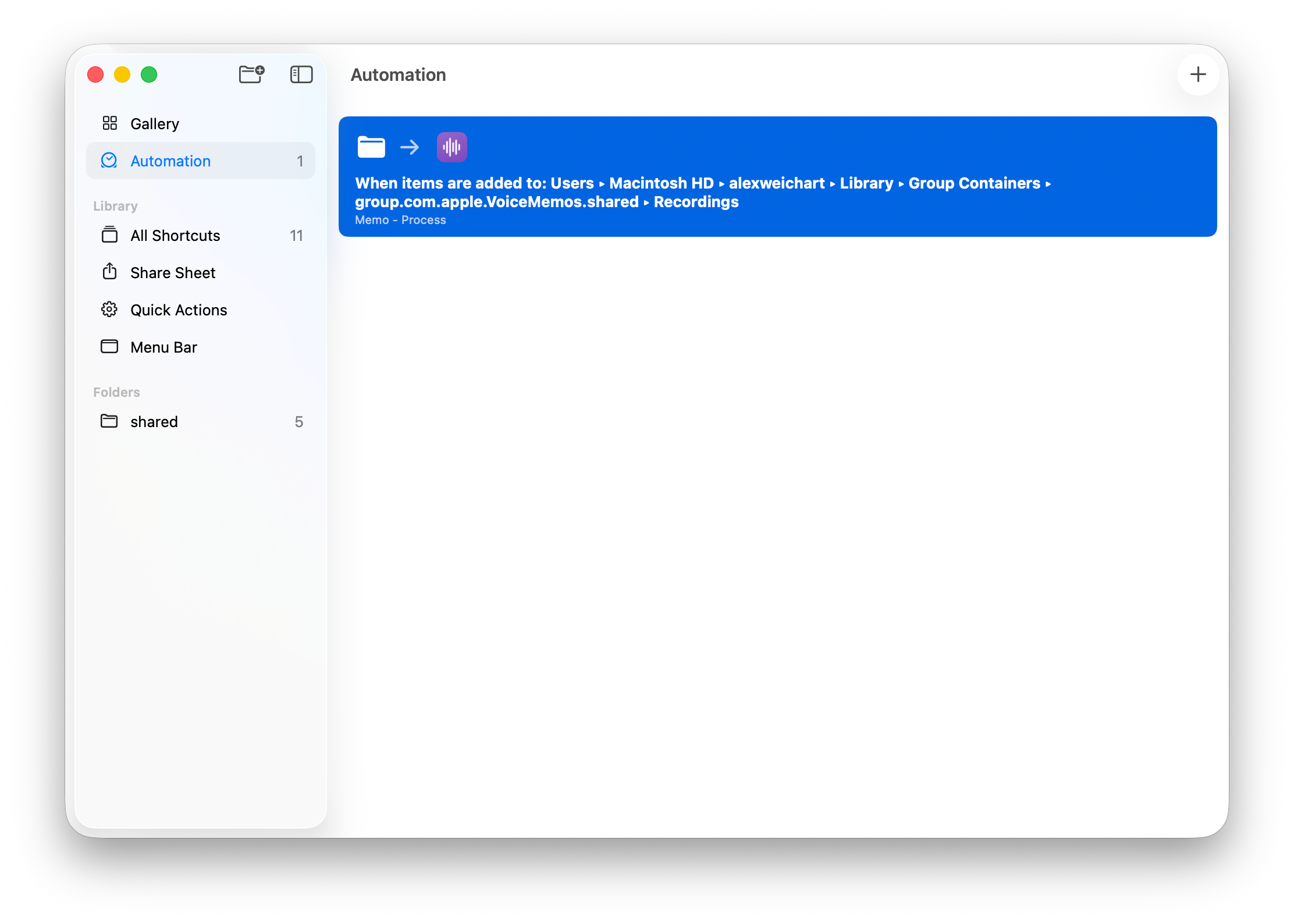
Shortcut Automation
Shortcuts are great, but you manually have to trigger them every time you record a new memo. Fortunately, there’s a way to automate this!
With macOS Sequoia (and later), Apple added Automations to the Shortcuts app on Mac. This allows us to trigger actions based on folder events.
I set up an automation to trigger the transcribe and process Shortcuts whenever a new file (memo) appears in the ~/Library/Application Support/com.apple.voicememos folder.
Final Thoughts
I use this workflow daily to capture thoughts or ideas. Since all my devices (e.g. iPhone and Mac) sync their voice memos via iCloud, I can record them anywhere I want, on any device - its really convenient.
Also, I really like how the summarize prompt turned out: since the prompt explains the context of the setup, it does not merely summarize the transcript; instead, it aims to compile the long and verbose transcript into a concise note, which sounds as if I would have taken the time to manually type out my thoughts.
I’m aware this setup relies on a few moving parts and could be solved with a custom Python script or various other tools, but this “no-code” approach feels remarkably stable. If you have ideas on how to optimize this, let me know!